
Sixteen-Bit Hand Masks Hold What the Surf Actually Did
A hand-built luminance mask in a 16-bit document can confine a crest lift precisely enough to leave adjacent troughs close to their recorded luminance. That precision comes from choosing a reference wave shape, inspecting the selection, and controlling where the brush deposits light.
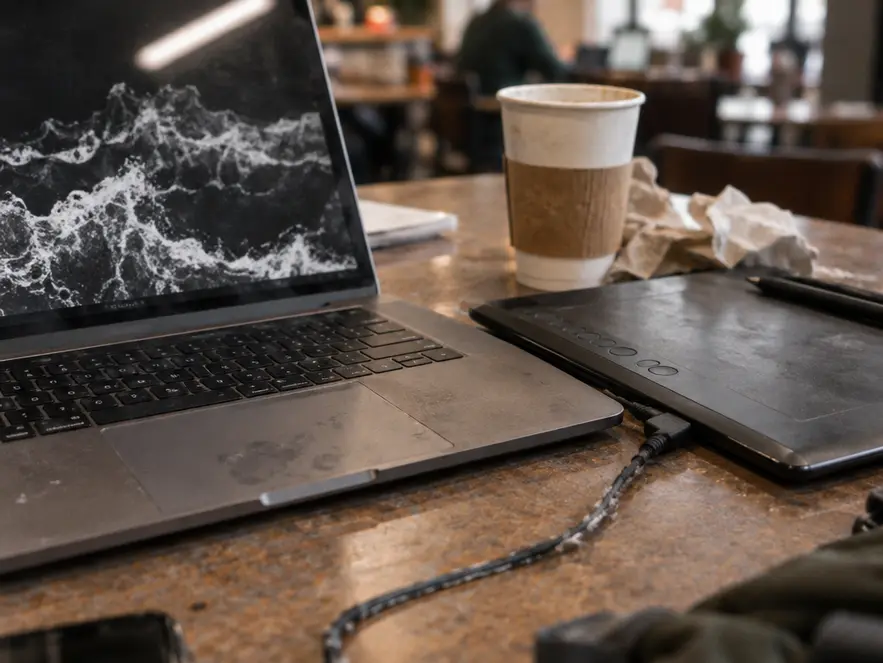
Automated coastal tone mapping offers a familiar route to visible shadow detail. Set it aside for this exercise. Turbulent water needs selective treatment because the dark underside of a breaking crest carries much of its apparent depth. Opening that underside along with the foam can weaken the wave’s structure.
The method follows three decisions: construct a highlight mask from an intact foam boundary, paint through that mask, and preserve the neighboring shadow. It produces a local adjustment whose effect can be checked against the source frames, rather than another global preset.
Where a Global Curve Flattens Foam and Lifts the Trough
Why does opening green water sometimes flatten the wave above it? A global curve assigns output values according to input luminance. Where green water and the dark edge beneath whitewater share input values, the curve adjusts both. Raising those tones can turn the underside into a middle-gray bridge between foam and open water.
Follow one cross-section: bright foam, dark underside, green water. The critical loss occurs when the underside approaches the surrounding water in brightness. The crest loses the separation that made it appear elevated.
A spatial halo has a different cause. A local tone-mapping adjustment can brighten a band around the crest, extending beyond the recorded foam boundary. Compare the same edge with local tone mapping enabled and disabled to isolate that effect. Aggressive local contrast can then exaggerate small tonal variations into apparent spray texture that the bracket never resolved.
Check tonal compression and edge spill separately. A flattened trough and a bright halo can coexist, but they require different corrections.
Intersecting Channels Until the Lights Mask Fits the Crests
Begin with aligned 16-bit renders from the bracket, keeping the working document and saved mask channels in 16-bit mode. An 8-bit merge discards tonal gradations before repeated channel operations begin. Choose a reference frame whose foam retains highlight structure; its wave shape governs the mask.
- In the Channels panel, load the composite luminosity as a selection and save it as an alpha channel.
- Intersect that selection with the saved channel, then save the narrower result.
- Inspect the grayscale channel directly. Repeat the intersection only while it improves separation between foam and surrounding water.
- Load the resulting Lights mask and compare its coverage with the reference frame and the brightest exposure before painting.
Intersections progressively suppress partial selections. With normalized mask weights, intersecting a mask with itself changes 0.5 to 0.25 while leaving 1 unchanged. The practical target is strongly selected foam, substantially excluded open water, and a transition following the recorded edge. Selection outlines alone cannot display all partially selected pixels.
Keep One Wave Boundary
Exposure brackets record separate moments. Alignment cannot reconcile a crest that changed shape between frames. Retain the reference frame’s intact edge, omit that crest from the blend, or capture another sequence. Narrowing a mask cannot reposition displaced foam.
Brushing Crest Luminance So the Halo Never Gets a Pixel
Create an empty layer in Luminosity blend mode, load the Lights selection, and choose a soft white brush at low opacity. Start inside the crest. Build the lift with separate strokes, toggling the layer after each addition rather than tracing the perimeter continuously.
The selection weights each stroke, allowing strongly selected foam to receive more of the adjustment than neighboring water. Keep the paint layer separate so its overall opacity remains adjustable without rebuilding the channel.
Inspect the boundary at 100% magnification, where one image pixel maps to one display pixel. Compare precisely the same edge with the paint layer visible and hidden. A newly brightened strip outside the foam identifies spill. If the alpha channel includes that strip, intersect the mask again and repaint the affected area.
Micro-contrast should separate tones already recorded within the foam. Sharpening indistinct spray into a crunchy outline supplies no missing detail. This method addresses turbulent water with a substantial crest–trough luminance gap; it does not establish a general objection to tone mapping static, narrow-range subjects.
Leaving the Troughs Dark Enough to Read as Water
The shadow check belongs beside the crest adjustment. Toggle the paint layer while watching the dark underside of that same wave. Fixed sample locations on the reference image help establish whether the crest painting has left trough values essentially unchanged.
Use the darkest bracket as a visual reference for shadow depth. The trough should retain that sense of darkness rather than becoming a lifted gray. However, a black-looking area in the darkest exposure does not establish that every source frame lacks detail. Inspect the brighter frame before deciding whether recovery is possible.
Broad darks painting risks erasing the separation just preserved. If a genuinely blocked area needs attention, confine recovery to the portion where the brighter source records usable detail. The resulting crest–trough gap lets foam sit visibly above the water.
A convincing coastal frame can contain deep shadows. Their contribution is structural.
Paint One Crest Group on Your Next Three-Frame Bracket
Keep three aligned 16-bit coastal frames from the next session, retain their separate layers, and designate one wave-shape reference. Save the untouched composite as a separate comparison state before the first stroke.
Build one Lights mask and paint only the brightest crest group. Compare it with the untouched composite at 100% magnification, checking interior foam texture, the perimeter, and the dark underside. Then fit the image to the screen to judge the wave’s overall separation.
If a bright rim appears, inspect the alpha channel, tighten the intersection, and repaint without substituting a global curve. Begin the next edit by selecting one intact crest in the reference frame and saving its first Lights channel.












Reader Comments
The conversation starts with you.
Your Comment